

Help centre
How can we help?
Quick answers for members and business owners. Search below, or send us a message and a real person will reply.
Popular:
No answers match that yet
Try another word, or ask us directly. We are happy to help.
Send us a messageGetting started
Find your place in three steps
Everything is free to browse. Sign in only when you want to save, review or book.
 1
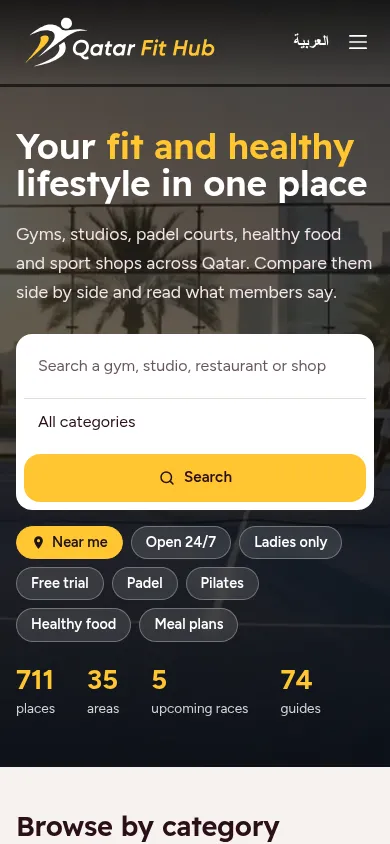
Search or tap a shortcut
Type a gym, studio or food spot, or tap a shortcut like Near me, Open 24/7, Ladies only or Free trial.
Start searching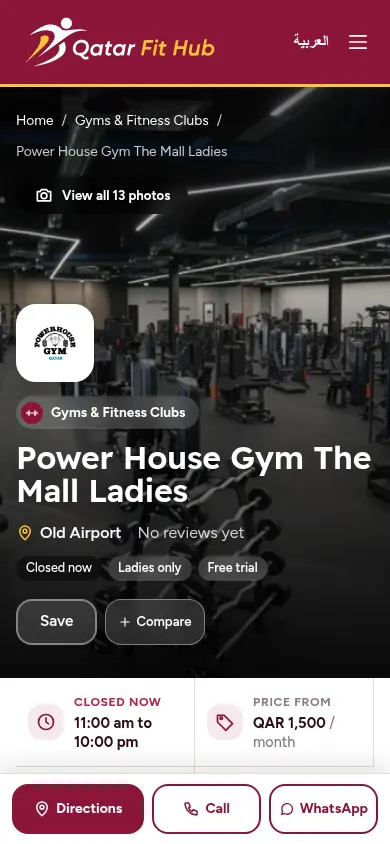 2
Check the details
Each page shows opening hours, prices where published, photos and reviews. Save it, add it to Compare, or call, WhatsApp and get directions in one tap.
 3
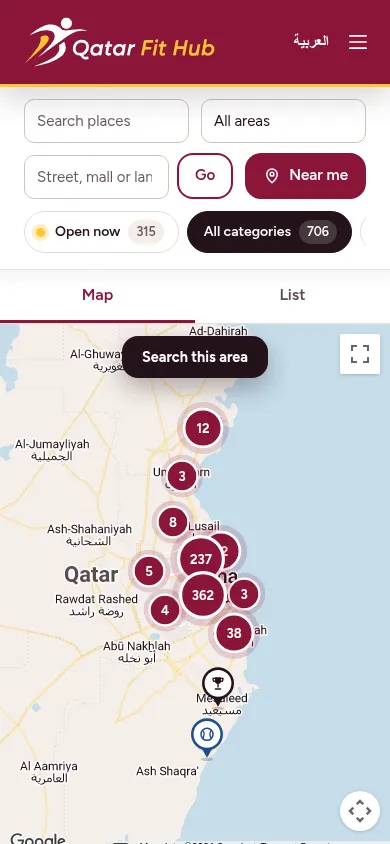
See it on the map
Open the map to see every place around you, filter by category or Open now, and switch to a list any time.
Open the map
Frequently asked questions
Finding places
Search, filters, map and compare
How do I find a gym or studio near me?
Use the search on the home page, or open the map and tap Near me. Allow location in your browser and the closest places appear first. You can also filter by area, category, open now, ladies only and free trial.
How do I compare places side by side?
Tap Compare on any place card or page. Add up to four places, then open Compare to see prices, opening hours and amenities next to each other.
Why is there no price on a place?
We show a price only when the business publishes it. No price means it is not published, not that it is free. Contact the business for its current prices.
Is the information always up to date?
We collect details from each business and its official website, and every page shows the date it was last checked. Businesses can change things without notice, so confirm prices, hours and offers before you visit or pay.
What does "Sponsored" mean?
The business paid for extra visibility. Sponsored places are always labelled, and paying never changes a rating, a review or the order when you sort by rating, price or name.
Account and sign in
Google sign in, saved places, your data
Do I need an account?
No. Browsing, searching and comparing are free and open to everyone. Sign in when you want to save places, write reviews, vote in polls or make a booking.
How do I sign in?
Tap the account icon at the top of any page and continue with your Google account. There is no separate password to remember. Apple sign in is coming later.
Where are my saved places?
Tap Save on any place and find it later in Saved places.
How do I delete my account or my data?
Ask us from the email address you sign in with: send us a message and choose "Privacy and my data". Read more in our privacy policy.
Reviews and ratings
Writing, rules and reporting
How do I write a review?
Sign in, open the place's page and go to Reviews. Pick a star rating and describe your own visit: what you liked, what could be better.
Who can rate a place?
Only signed-in members. Businesses cannot buy, edit or remove ratings and reviews. They can reply to them publicly.
Why was my review removed?
Reviews must describe your own real experience. We remove reviews that are false, abusive, discriminatory or promotional, and reviews by owners or staff about their own business or a competitor. See our terms of use.
How do I report a review?
Please send us a message with the link to the page and tell us which review and why.
Bookings
Courts, classes, paying and cancelling
How do I book a court, pitch or pool?
Venues that take online bookings show a booking box on their page. Pick a date and time and confirm. Your booking is confirmed straight away and we email you a booking code.
Can I book a class?
Some gyms and studios let you book from their weekly timetable. Open Classes and look for the Book button.
How do I pay?
You pay the venue directly when you arrive. Qatar Fit Hub does not take payment from you, and the price shown is the price the venue set.
How do I cancel a booking?
Open My bookings and cancel free of charge until the cut-off shown on your booking. After the cut-off, contact the venue directly.
Something went wrong with my booking
For the facility itself, contact the venue using the details in your booking email. If the problem is with the booking, send us a message and include your booking code.
Report a problem
Wrong details, closed places, site issues
A place has wrong or old details
Thank you for telling us. Send us a message with the link to the page and the correct details, and we will check and update it.
A place has closed
Let us know with a link to the page and we will remove or update it.
Something on the site is not working
Sorry about that. Choose "Report a problem with the site" in the form below and tell us the page, your device and browser, and what happened.
Can I use the site in Arabic?
Yes. Tap العربية at the top or bottom of any page to switch.
For business owners
Get your business seen in three steps
Listing is free, takes about a minute and you stay in control of your page.
 1
Add or claim your page
Sign in with Google and find your business as it appears on Google Maps. Already listed? Choose Manage this page.
Add your business- 2
Make your page shine
Add your logo, real photos, prices, opening hours, phone and WhatsApp. Complete pages appear higher in category lists.
Go to My business 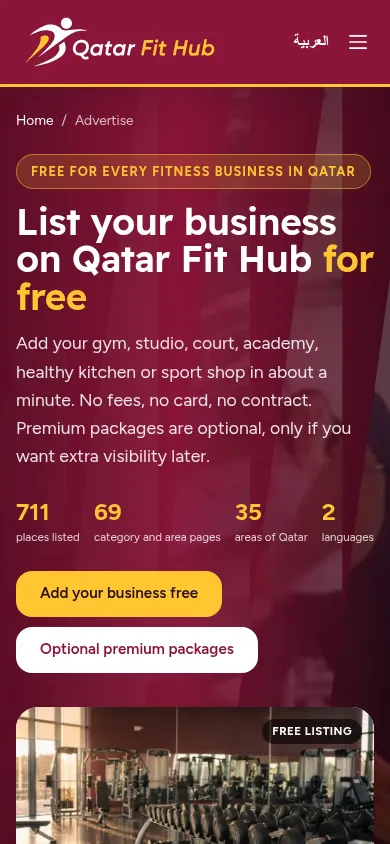 3
Reach more people
Optional packages put you at the top of your category and on the home page, always clearly labelled Sponsored.
See packages
Frequently asked questions
Getting listed
Free listing in about a minute
Is it really free to add my business?
Yes. No fees, no card and no contract. Premium packages are optional.
How do I add my business?
Go to Add your business, sign in with Google and search for your business as it appears on Google Maps. We fill in the name, area and map, and your page goes live in about a minute.
My business is not on Google Maps
After you sign in, choose Not on Google Maps? Send us the details. Our team checks the details and adds your page.
Will my page show in Arabic too?
Yes. Every business page is available in English and Arabic.
Claim and manage
Verify, edit and reply to reviews
My business is already listed. How do I manage it?
Open your page and click Claim this listing, or sign in on Add your business, search for it and choose Manage this page. Once confirmed, you edit it yourself.
How do you confirm that I manage the business?
If you sign in with your business email (for example info@yourgym.com), you are confirmed instantly. Otherwise we email a code to the business's official address.
How do I edit my page later?
Sign in with the same Google account and open My business. Update photos, prices, opening hours, phone, WhatsApp and your description any time.
Can I reply to or remove reviews?
You can reply publicly to any review. You cannot edit or delete reviews. If a review breaks our rules, send us a message.
Which photos and logos can I upload?
Only logos, photos and text you have the right to use. Real photos of your space, equipment and classes work best.
Online bookings
Courts, pitches, pools and classes
Can customers book my venue online?
Yes, for venues that choose to turn it on: courts, pitches and pools, and class booking for gyms and studios. Send us a message to get started.
How are bookings paid?
Customers pay you at the venue. Any commission is agreed with you before online booking is switched on.
How do I see and manage bookings?
Bookings appear in My business, where you keep your available times up to date. Customers get a booking code by email.
Advertising
Packages, fairness and getting started
What advertising options are there?
A verified profile, featured placement at the top of your category, banner advertising and campaign partnerships for events and launches. See current prices on Advertise with us.
Can I pay to improve my rating?
No. Ratings and reviews come from members and cannot be bought. Paid placements are always labelled Sponsored and get no advantage when visitors sort by rating, price or name.
How do I get started?
Send an enquiry from the Advertise page or send us a message. We reply with the options and arrange everything by agreement.
Still need help?
Send us a message
Tell us what you need and we will reply by email. The more detail you share, the faster we can sort it out.
- Supportsupport@qatarfithub.com
- General enquirieshello@qatarfithub.com
- AdvertisingSend an advertising enquiry
- Reply timeWe aim to reply within one working day.
We use your details only to answer your message. Privacy policy
Thank you, your message is on its way
We have sent a confirmation to your email and will reply as soon as we can.